.png&w=3840&q=75)

Most happy customers won't leave a review unless you ask. That's not because they didn't enjoy the experience — it simply never crossed their mind. And that silence is costing your business rankings, trust, and customers.
What You'll Learn in This Guide:
- Why asking for reviews works (and why most businesses don't do it)
- The one thing you need before sending any review request
- 3 email templates you can copy and send today
- 3 SMS templates with higher open rates
- How to ask in person (with a ready-to-use script)
- Timing tips that double your response rate
- What NOT to do — Google policy mistakes to avoid
Why Asking for Google Reviews Works
The majority of customers who had a positive experience will leave a review if asked directly. Research consistently shows a simple, personal request dramatically increases response rates compared to waiting and hoping.
People don't think to leave reviews on their own — not because they're indifferent, but because their day moves on and it slips their mind. Your ask is the nudge they needed.
Conversion rate without a direct link
Conversion rate with a direct link + personal ask
More reviews when you ask vs. wait
The relationship between Google reviews and SEO is stronger than most business owners realise — reviews directly influence your local rankings, your Google Maps visibility, and whether a potential customer picks you over a competitor.
Before You Ask: The One Thing You Need First
Before sending any review request, you need one essential thing: a direct Google review link.
Without it, you're asking customers to find you themselves — search for your business name, locate the right profile, click through to reviews, and then find the "Write a review" button. Most people won't bother. A direct link removes every one of those steps.
Generate Your Review Link — Free, No Sign-Up
GoogleReviewBoost.app generates your direct Google review link in seconds. Just enter your business name — no technical knowledge needed. Then drop it into any of the templates below.
Need a step-by-step walkthrough? See our guide on how to create a Google review link the easy way.
Generate My Review Link FreeHow to Ask for Google Reviews via Email (3 Templates)
Email is the most scalable way to ask customers for Google reviews — especially for service businesses managing multiple clients. Write the message once, and it does the work for you.
Pro Tip: Personalise at least the first name and mention the specific service they used. A generic "Dear Customer" email gets ignored — a specific one gets clicked.
Template 1 — Post-service follow-up (short & direct)
Best performerTemplate 2 — Friendly & conversational
Template 3 — Formal (B2B & professional services)
Great for B2BWe've also created a free downloadable Google review request email templates pack — 8 templates covering every business type, with a PDF you can save and share with your team.
How to Ask for Google Reviews via SMS (3 Templates)
SMS has significantly higher open rates than email — and for service businesses like trades, salons, and hospitality, it can be highly effective when used at the right moment. Keep SMS review requests short, warm, and personal.
Important: Only send SMS review requests to customers who have opted in to receive messages from your business. Always comply with GDPR (UK/EU) and CAN-SPAM/TCPA (US) regulations.
SMS Template 1 — Clean & direct
SMS Template 2 — Personal touch
SMS Template 3 — Follow-up (if no response to email)
How to Ask for Google Reviews in Person
Sometimes the most effective ask is the simplest one — face to face. In-person asking consistently outperforms digital requests when done warmly and at the right moment.
Ask at the "happy moment"
When a customer says something positive — "I'm really pleased with it" or "That's exactly what I needed" — that's your cue. Respond with: "That's great to hear — would you mind leaving us a quick Google review?"
Have the link ready
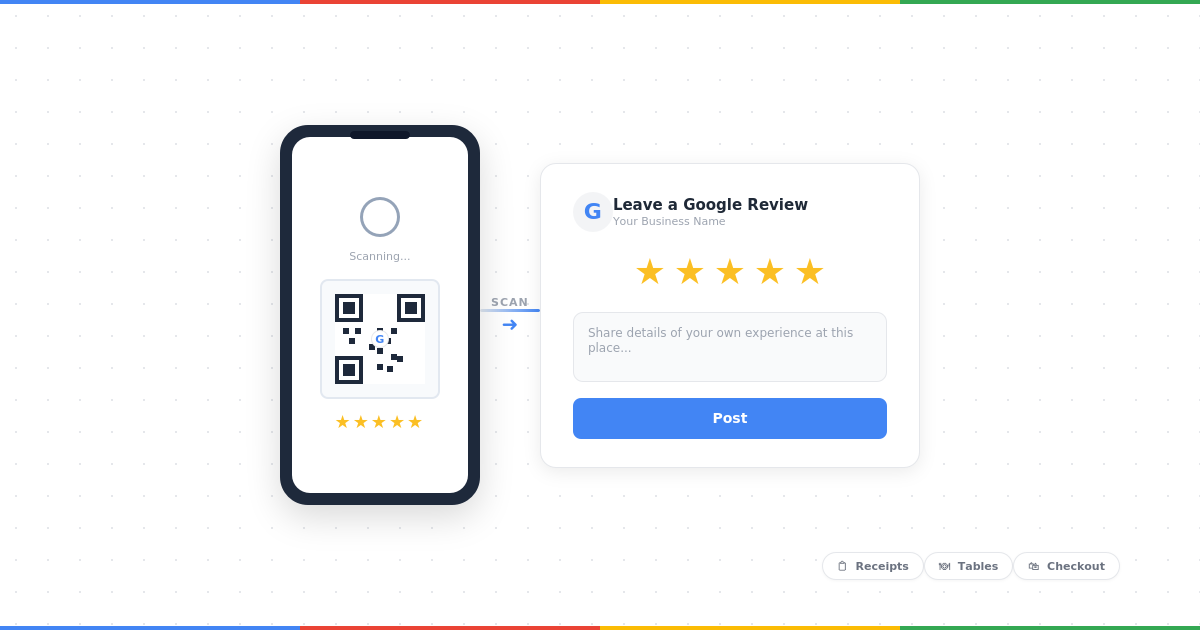
Send it immediately via text or show a QR code on a receipt, card, or sign. Don't ask someone to leave a review and then make them search for you — the moment passes.
Brief your team
Customers almost never say no when asked warmly in person. Make sure your staff are comfortable making the ask — a short briefing and a simple script is all it takes.
In-Person Script
Timing Tips — When to Ask for Maximum Impact
How to request Google reviews effectively comes down to timing as much as anything else. The same message sent at the wrong moment gets ignored; sent at the right one, it converts.
✅ Best Times to Ask
- Right after delivery or completion — ask within 24 hours while the experience is fresh. Waiting a week cuts response rates sharply.
- After a verbal compliment — if a customer says something positive, strike while the goodwill is there.
- Follow-up at day 2–3 — for product businesses, let them use it first, then follow up.
- After resolving a complaint — a customer whose issue was handled well is often more willing to leave a positive review than someone with an uncomplicated experience.
- Tuesday to Thursday, late morning — email open rates tend to be highest mid-week.
❌ Times to Avoid
- Monday mornings — inboxes are cluttered, emails get buried.
- Friday afternoons — people are mentally checked out.
- Immediately after a complaint — wait until you've resolved it first.
- More than 1 week after service — the moment of enthusiasm has passed.
Pro Tip: If you're using GoogleReviewBoost.app, you can automate the timing of your review request emails — so the right message goes out at exactly the right moment without you having to think about it.
What NOT to Do When Asking for Reviews
Knowing how to ask for Google reviews also means knowing what to avoid. A few common mistakes can actively hurt your profile or violate Google's guidelines.
Don't incentivise reviews
Offering "10% off your next visit" or any reward in exchange for a review violates Google's policies and can get reviews removed — or worse, trigger a suspension.
Don't ask only for positive reviews
Google's guidelines explicitly prohibit "selective" review requests — you can't ask happy customers while screening out unhappy ones.
Don't send cold mass emails
Only ask people who have actually done business with you. Cold outreach isn't just ineffective — it risks spam complaints.
Don't ask employees or friends
Google detects suspicious patterns and will remove reviews that don't come from genuine customers. It's not worth the risk to your profile.
Worried about opening the door to negative feedback? Our guide on handling bad Google reviews covers exactly what to do if one comes in — and how to turn it around.
Before you send your next review request, make sure your process complies with Google's updated 2026 review policy — see what's now banned →
Frequently Asked Questions
Is it against Google's rules to ask for reviews?
No — asking customers for honest reviews is explicitly allowed by Google. What is against Google's guidelines is offering incentives (discounts, gifts, money) in exchange for reviews, or asking only for positive reviews. A straightforward, genuine ask is perfectly fine.
How many times should you follow up?
One follow-up is usually enough. Send the initial request, then one reminder 3–5 days later if there's been no response. More than two contacts starts to feel pushy and can damage the customer relationship.
What's the best way to ask for Google reviews?
The most effective method depends on your business type. Email works well for service businesses and e-commerce. SMS has higher open rates and works great for trades, salons, and hospitality. In-person asking is often the most effective of all when paired with an instant link or QR code.
What should I do once I start getting reviews?
Respond to every review — positive or negative. It signals to Google that your business is active, and it builds trust with future customers reading your profile. For response templates and best practices, see our guide on how to respond to Google reviews.
Do I need to generate a separate review link for each customer?
No — you generate your Google review link once, and it works for all customers. The link takes anyone directly to your Google review form. Generate yours free here and save it to use in all your templates.
Related Guides
How to Get More Google Reviews (Complete Guide)
The full strategy for building your review count consistently over time — beyond just asking.
How to Respond to Google Reviews (12 Templates)
Once the reviews start coming in, respond to every one. Copy-paste templates for positive, negative, and neutral reviews.
How to Create a Google Review Link (Easy Way)
Step-by-step guide to generating the direct link every one of these templates needs.
Bad Google Reviews: Remove, Dispute & Reply
What to do when a negative review comes in — how to flag, dispute, and respond professionally.
Ready to Start Getting More Reviews?
Generate your free Google review link — then copy a template above and send it today. No sign-up, no credit card.
Generate My Free Review Link